
JETE G2 User Manual
Panduan lengkap penggunaan produk Headset Gaming JETE G2 untuk memaksimalkan pengalaman pengguna. Dilengkapi instruksi langkah demi langkah, mulai dari instalasi, pengoperasian, hingga pairing.
User Manual / JETE G2
Hasil Pencarian
×-
English
-
Indonesian
-
How To (Video)
-
FAQ
-
Specification




Video Tutorial
Video belum tersedia.
Frequently Asked Question
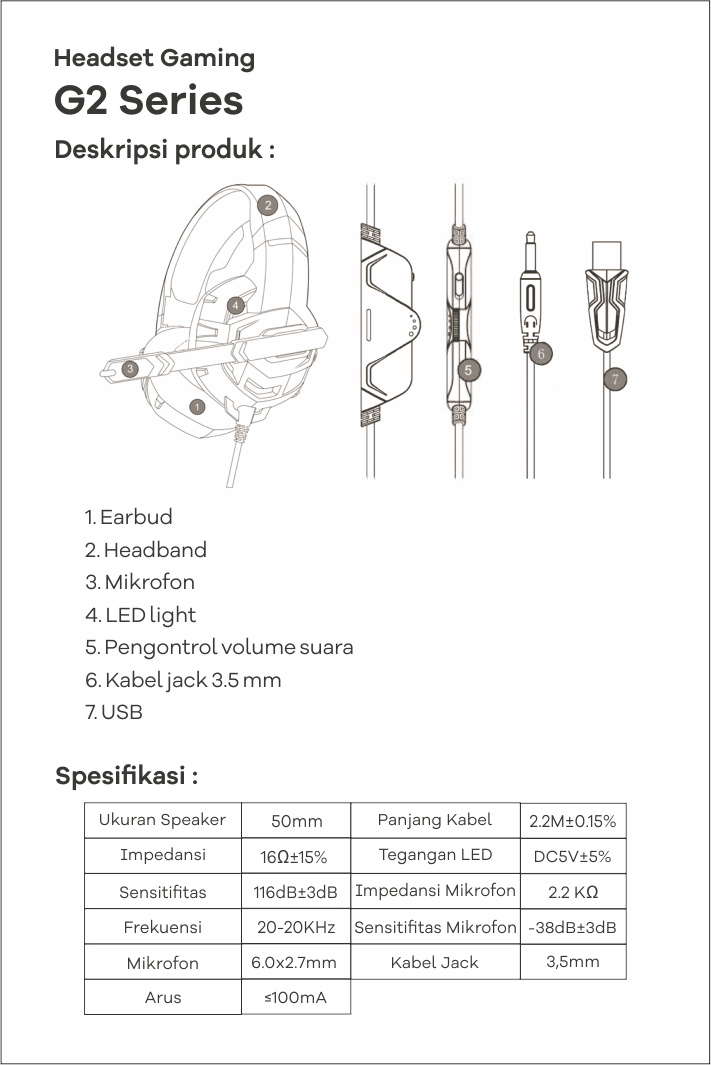
JETE X Gaming Series adalah gaming headset dengan desain modern, dilengkapi driver 50mm, microphone omnidirectional, RGB lighting, dan audio tanpa delay untuk pengalaman gaming lebih imersif.
Driver 50mm menghasilkan:
Bass lebih kuat
Detail suara lebih jelas
Posisi suara (directional sound) lebih akurat
Microphone omnidirectional dapat:
Menangkap suara dari berbagai arah
Cocok untuk komunikasi saat gaming
Membuat suara tetap jelas saat berbicara
Bisa.
Headset cocok digunakan untuk:
- Meeting online
- Voice call
- Streaming
Tidak.
Dengan koneksi kabel, headset memiliki latency sangat rendah (no delay), cocok untuk gaming kompetitif.
Bisa dengan Cara Tidak Menghubungkan Kabel USB ke Perangkat yang anda gunakan.
Headset kompatibel dengan:
- PC / Laptop
- Konsol game (dengan port yang sesuai)
- Smartphone (dengan adaptor jika diperlukan)
Ya.
Dilengkapi:
Bantalan telinga empuk
Headband ergonomis
Cocok untuk sesi gaming panjang
Tidak.
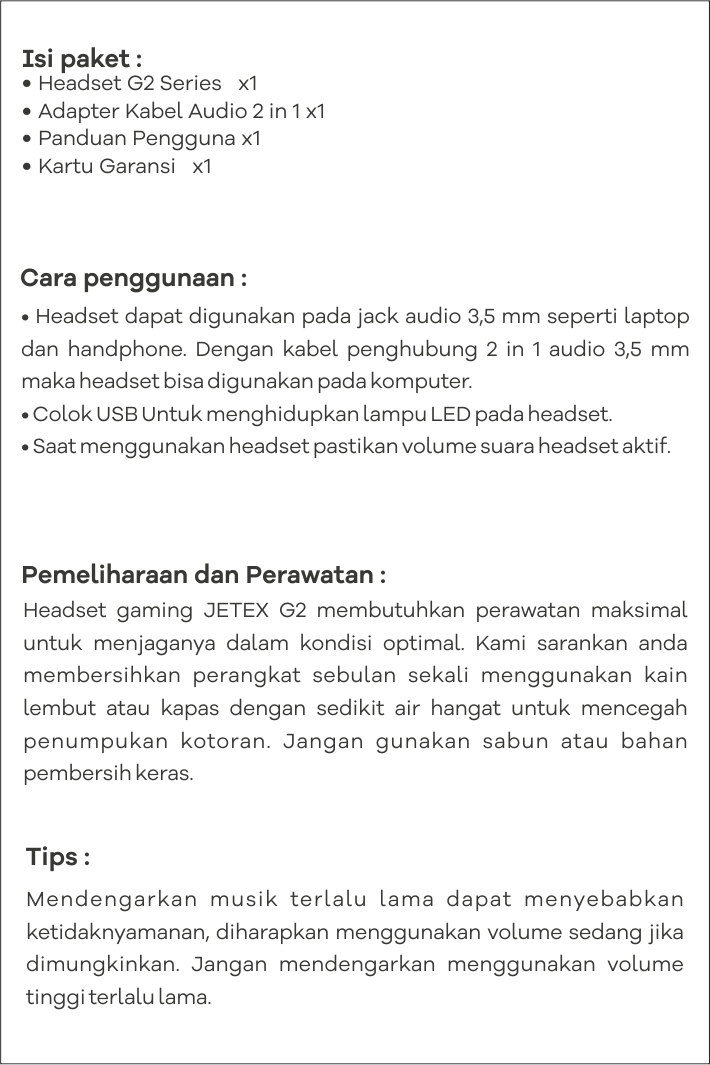
Headset bersifat Plug & Play, langsung digunakan setelah terhubung.
1. Pastikan jack terpasang dengan benar
2. Cek pengaturan audio di perangkat
3. Pilih output headset sebagai default
- Kerusakan pada unit Headset JETE tercakup dalam garansi dan akan diganti dengan unit baru.
- Aksesoris Produk: Kabel spliter, dan Busa Bantalan Telinga pada Headphone tidak tercakup dalam garansi jika mengalami masalah.
- Kerusakan fisik ( Patah ) atau upaya modifikasi oleh pengguna tidak tercakup dalam garansi dan tidak dapat diklaim.
Silakan hubungi Admin Marketplace, Layanan Pelanggan JETE, atau kunjungi Toko Resmi JETE terdekat untuk informasi lebih lanjut.
❗ Suara kecil atau tidak jelas
Cek volume sistem
Pastikan tidak ada kotoran di jack
Cek pengaturan audio
❗ Microphone tidak berfungsi
Pastikan izin mic aktif di perangkat
Cek posisi jack (audio + mic)
Coba di perangkat lain
❗ RGB tidak menyala
Pastikan kabel USB (jika ada) terhubung
Cek port USB
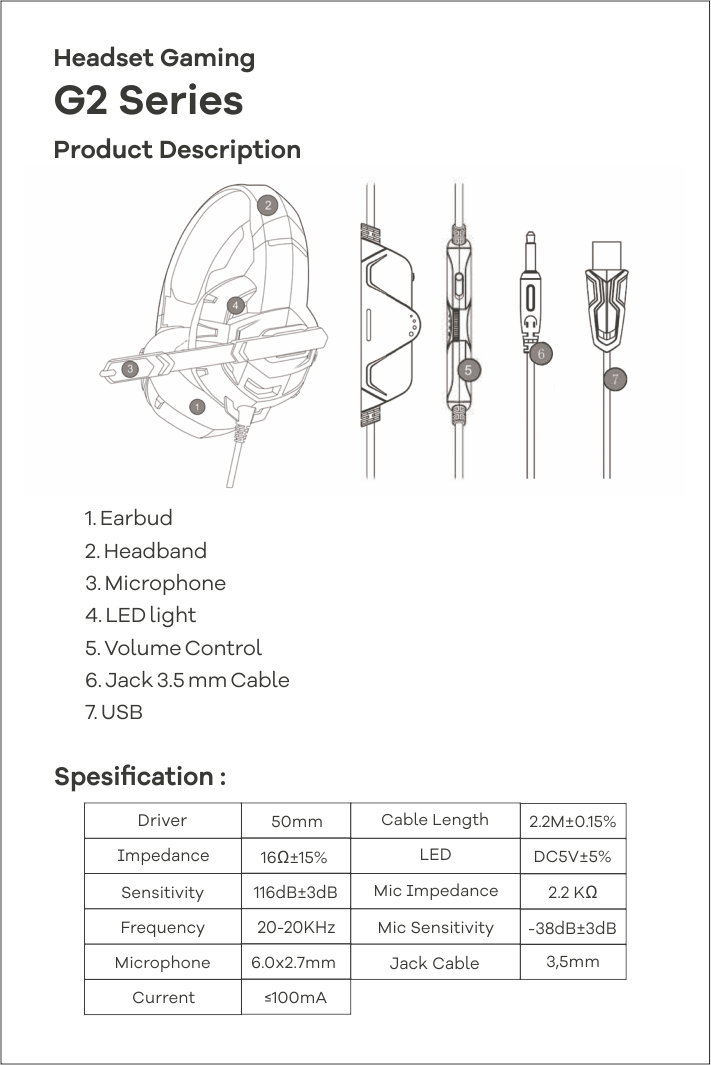
The JETE X Gaming Series is a gaming headset with a modern design, equipped with 50mm drivers, an omnidirectional microphone, RGB lighting, and zero-delay audio for a more immersive gaming experience.
The 50mm drivers produce:
Stronger bass
Clearer sound details
More accurate sound positioning (directional sound)
An omnidirectional microphone can:
Capture sound from various directions
Suitable for communication while gaming
Maintain clear voice when speaking
Yes.
The headset is suitable for:
Online meetings
Voice calls
Streaming
No.
With a wired connection, the headset has very low latency (no delay), making it suitable for competitive gaming.
You can do this by not connecting the USB cable to the device you are using.
The headset is compatible with:
- PC / Laptop
- Game consoles (with the appropriate port)
- Smartphones (with an adapter if needed)
Yes.
Equipped with:
Soft ear cushions
Ergonomic headband
Suitable for long gaming sessions
No.
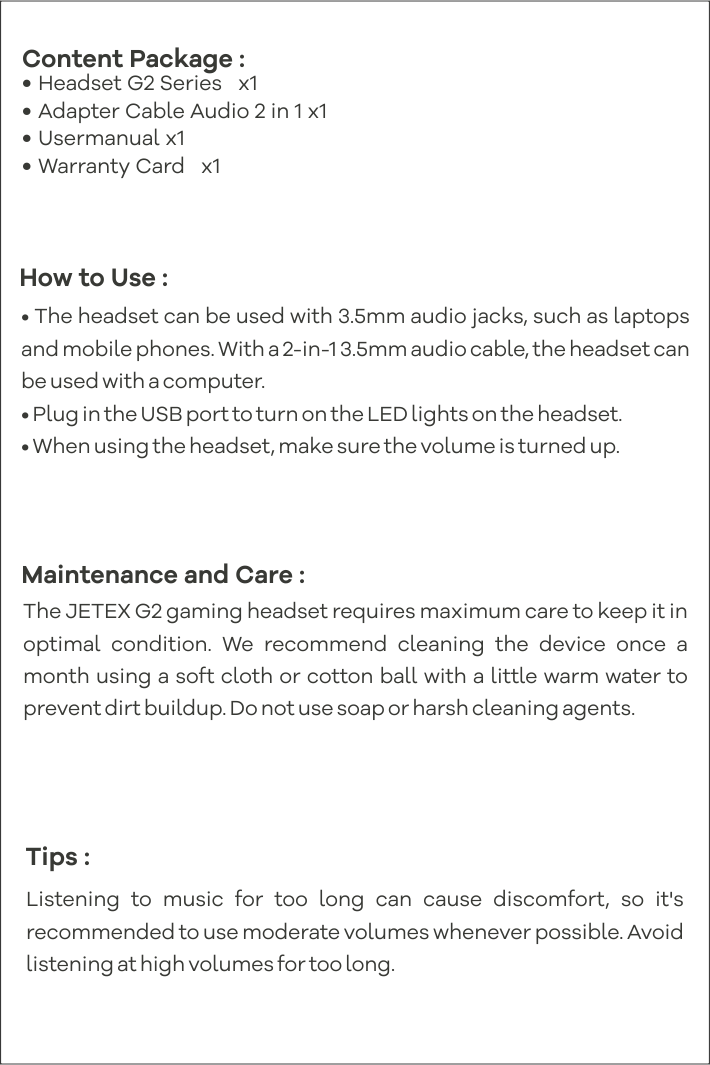
The headset is Plug & Play, so it can be used immediately after connection.
Make sure the jack is properly connected
Check the audio settings on the device
Select the headset output as the default
- Damage to the JETE Headset unit is covered by the warranty and will be replaced with a new unit.
- Product accessories: Splitter cables and Foam Ear Pads on the Headphones are not covered by the warranty if they experience problems.
- Physical damage (breakage) or user modification attempts are not covered by the warranty and cannot be claimed.
Please contact the Marketplace Admin, JETE Customer Service, or visit the nearest JETE Official Store for more information.
❗ Low or unclear sound
Check system volume
Ensure there is no debris in the jack
Check audio settings
❗ Microphone not working
Ensure mic permission is active on the device
Check the jack position (audio + mic)
Try on another device
❗ RGB is not lit
Ensure the USB cable (if applicable) is connected
Check the USB port
Specification JETE G2
Spesifikasi Produk Belum Tersedia
Download User manual JETE G2
Titik Klaim Garansi Produk JETE di Seluruh Indonesia




